
Products from this category
Brand: OMOTON
Vendor code: B0C4T75253
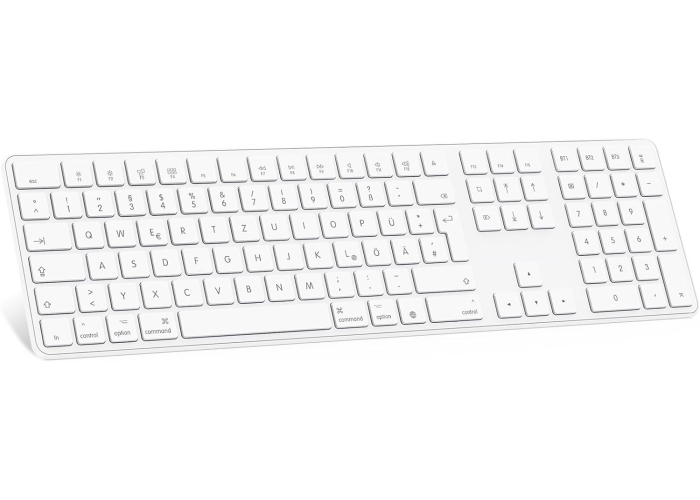
OMOTON Bluetooth Keyboard for Mac OS (MacBook Air/ Pro/iMac/ Pro)
Out of stock
Additional information:
Packaging is damaged
Read more
hide
Product description:
more details


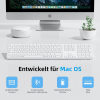
- 【Bluetooth Keyboard Designed for MacOS】OMOTON KB515 Bluetooth keyboard works best with Mac OS X 10.10 and higher versions. As a Bluetooth keyboard for Mac, QWERTY layout, user-friendly, the stylish white color scheme gives a sophisticated and attractive look, it can be seamlessly used for various Mac devices such as Apple MacBook Pro, MacBook Air, Mac, iMac, iPad, laptop, tablet etc warden
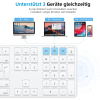
- 【Multi-Device Wireless Keyboard】This keyboard Mac has 3 Bluetooth connection modes, support 3 devices at the same time and easily switch between them by pressing Fn + BT1/2/3, making it quick and easy to connect the different devices change. (Long press to pair, short press to switch)
- 【2*AAA Batteries Keyboard】This MacBook keyboard is powered by only 2 AAA batteries (not included), which provides an environmentally friendly auto-sleep mode. Click any key to wake it up after 10 minutes of inactivity
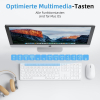
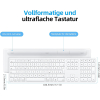
- 【Full Size Bluetooth Keyboard】OMOTON KB515 keyboard for MacBook is designed with full size and features a numeric keypad to make typing convenient and comfortable than other wireless keyboards, including 12 Mac OS multimedia hotkeys
- 【Ergonomic Design】The keyboard with the relaxing ergonomic tilt and non-slip rubber pad can reduce typing fatigue and bring you the typing experience
Specification:
all specifications
Product Model:
KB515
Color:
white
Connection technology:
Bluetooth
material:
plastic
Reviews:
Reviews
13/03/2024
If you're looking for a keyboard to work with your iMac or MacBook, but don't want to pay the prices associated with genuine Apple products, this Omoton compact wireless keyboard is a good substitute. It has the keys and functions you need to work with your Apple computer, including Control, Option and Command keys, and there are also function keys to use to easily access Mission Control and Launchpad. Other function keys are available to change your display brightness, to change the volume, and to move through music tracks you're listening to.I've been accustomed to using a full-sized keyboard (designed for Windows computers), so at first it took some getting used to the smaller size of this keyboard and the loss of the number pad on the right side. I also think that the Omoton keyboard might have slightly less of an incline (it sits a bit more flat) than my Logitech keyboard. I would have liked the power switch to have been at the top or side of the keyboard, instead of being on the back. The first time you pair the keyboard with your computer, you will also have to press a small black button on the back. Once it is recognized and paired with your computer, all you have to do going forward is to turn the keyboard on or off to start typing. There is a slight delay of a second or two before the keyboard inputs will be shown on screen after you first turn it on. When you look at the keyboard, you'll notice that there is a Delete key but not a Backspace key. The Delete key on this keyboard performs both functions. If you are typing and want to remove characters to the left of your cursor, just hit the delete key as many times as needed to remove the characters. Hitting the delete key will not remove characters to the right of your cursor; instead you'll have to highlight them and then hit the delete key. Lastly, there is a small green LED that comes on briefly (above the F11 key) to indicate power when you turn on the keyboard. It does not stay lit while you use the keyboard. The same LED also comes on during the bluetooth pairing process. This LED will also come on when you press the Caps Lock key, and go off when you remove the Caps Lock.The keyboard has a power saving feature that will put itself to sleep if no keystrokes are detected after a certain period of time. This works fine in my experience, as I see a "Connection Lost" notice on my screen when the keyboard goes to sleep, but to me it seems like an unnecessary feature, as the battery in my other keyboard has lasted quite a while without a similar feature. I did not rate the battery life as I have only had the keyboard for a week or two as of writing this review.
Vendor code: B0C4T75253
OMOTON Bluetooth Keyboard for Mac OS (MacBook Air/ Pro/iMac/ Pro)
30€
tax included in price
Here is your secret promo code
Copy the promo code and paste it at checkout to find out your discount amount
Show code
0722209268
Pay with Visa/MasterCard (LiqPay), Apple Pay, PrivatPay Google Pay, PayPal, payment via IBAN. Request an invoice
Return the product within 14 days. more details about the return conditions
We do everything we can to protect your security and privacy. Our payment security system encrypts your data during transmission. We do not provide your credit card details to third parties and do not sell your information to third parties. Free shipping applies only to small-format goods, more about shipping and rates.

Product overview
- 【Bluetooth Keyboard Designed for MacOS】OMOTON KB515 Bluetooth keyboard works best with Mac OS X 10.10 and higher versions. As a Bluetooth keyboard for Mac, QWERTY layout, user-friendly, the stylish white color scheme gives a sophisticated and attractive look, it can be seamlessly used for various Mac devices such as Apple MacBook Pro, MacBook Air, Mac, iMac, iPad, laptop, tablet etc warden
- 【Multi-Device Wireless Keyboard】This keyboard Mac has 3 Bluetooth connection modes, support 3 devices at the same time and easily switch between them by pressing Fn + BT1/2/3, making it quick and easy to connect the different devices change. (Long press to pair, short press to switch)
- 【2*AAA Batteries Keyboard】This MacBook keyboard is powered by only 2 AAA batteries (not included), which provides an environmentally friendly auto-sleep mode. Click any key to wake it up after 10 minutes of inactivity
- 【Full Size Bluetooth Keyboard】OMOTON KB515 keyboard for MacBook is designed with full size and features a numeric keypad to make typing convenient and comfortable than other wireless keyboards, including 12 Mac OS multimedia hotkeys
- 【Ergonomic Design】The keyboard with the relaxing ergonomic tilt and non-slip rubber pad can reduce typing fatigue and bring you the typing experience
Specifications
Color
white
Connection technology
Bluetooth
material
plastic
Weight (g)
640.0
Questions
0 questions
No questions about this product, be the first and ask your question.
Related Products
-20%
-22%

-25%

-35%

-43%

Related Products
-25%
-43%
-22%
-35%
-20%